Within a few hours of becoming a Patreon subscriber you’re details should have sync’d up to the forum, granting you access to the awesome loot levels of Patron access.
But.. what if you have signed up to the forum with a different email to the one you used on Patreon? No problem!!
You can add any number of “Alternate Emails” to the forum – these are only used internally for syncing and never disclosed to the public on your profile. As long as one of your emails (primary or alternate) matches your Patreon subscription, you will be added to the Patron group.
Quick How To Guide
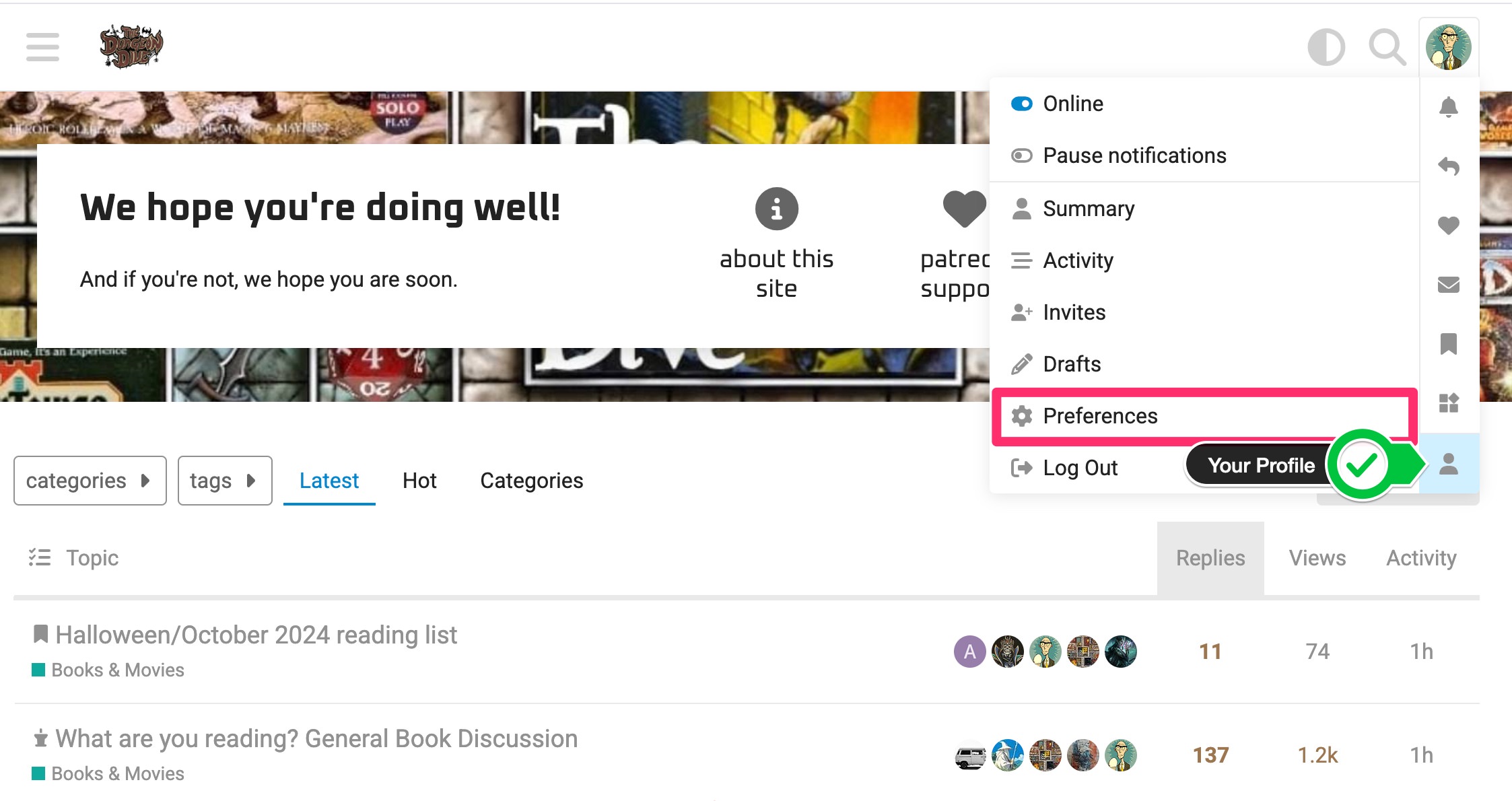
From the main menu, select your Profile > Preferences.
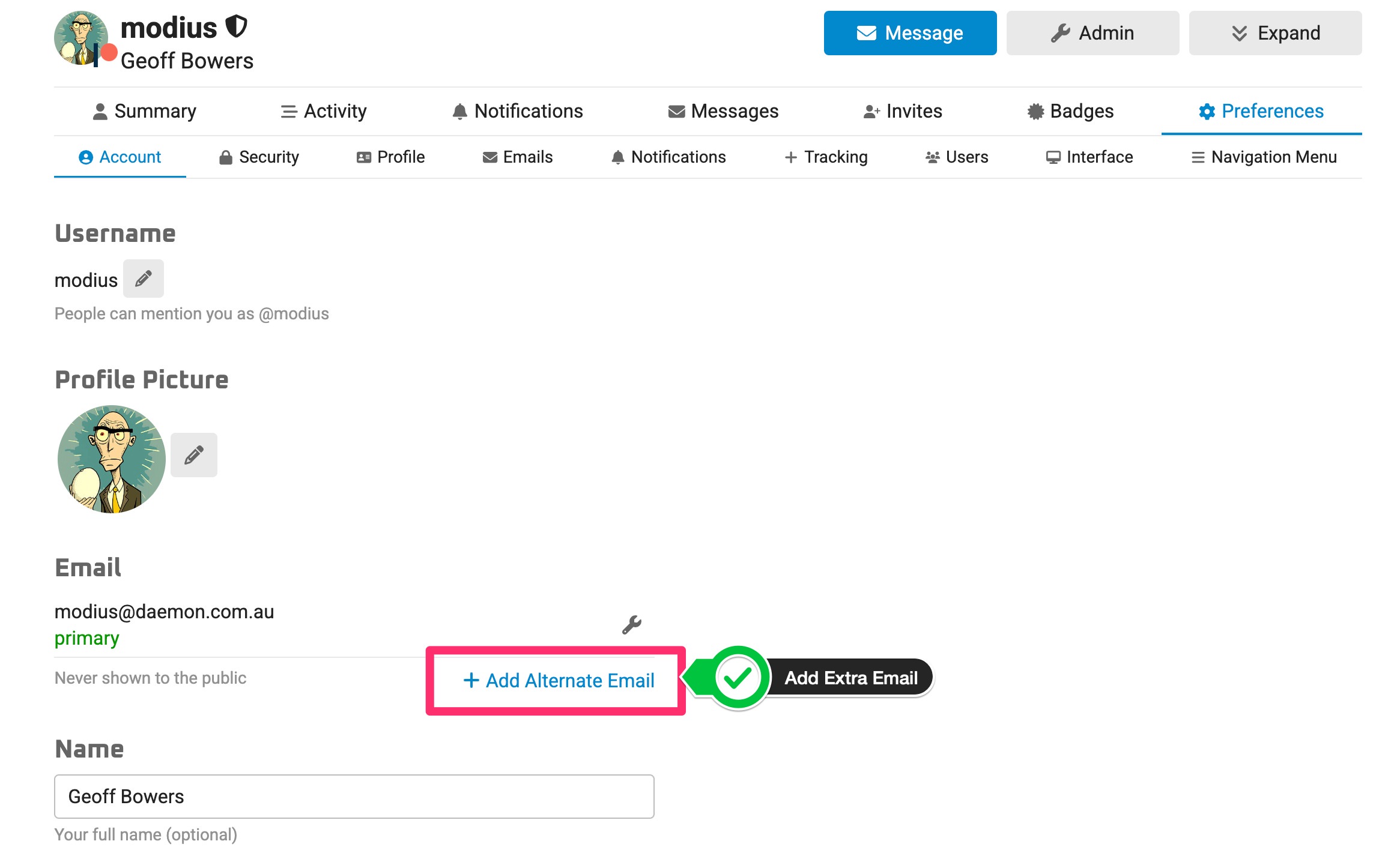
Add Alternate Email from your profile’s Preferences > Account section.
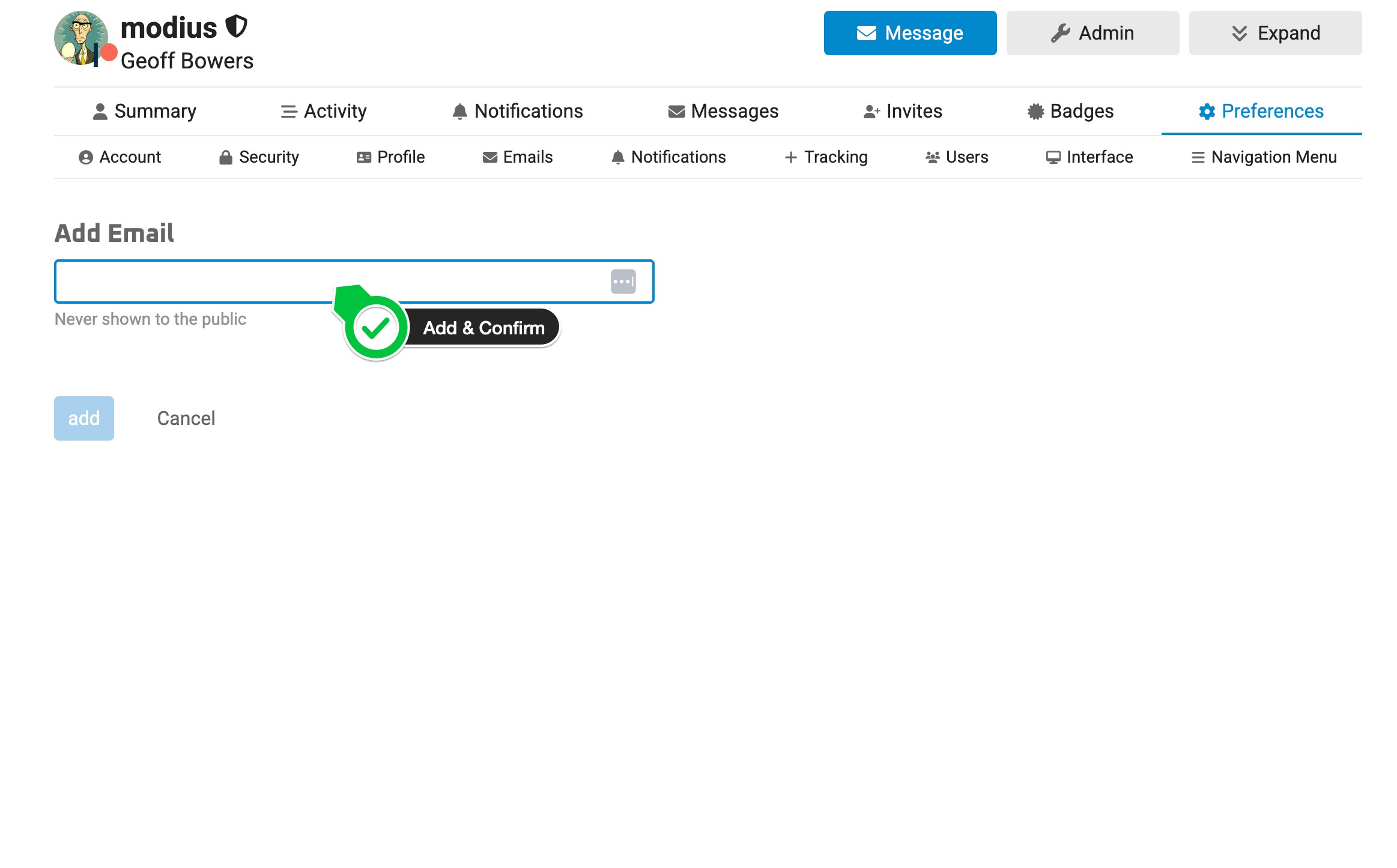
Once added, you will be sent an email and asked to confirm your access to the newly added address.
Rejoice.